
The door
QR access control: at the door, all you need is a phone
With the Festejar Equip app, door staff validate tickets, guest lists and season passes by scanning the QR code with a phone. It runs on iPhone and Android, and on iPhone it even works without signal.
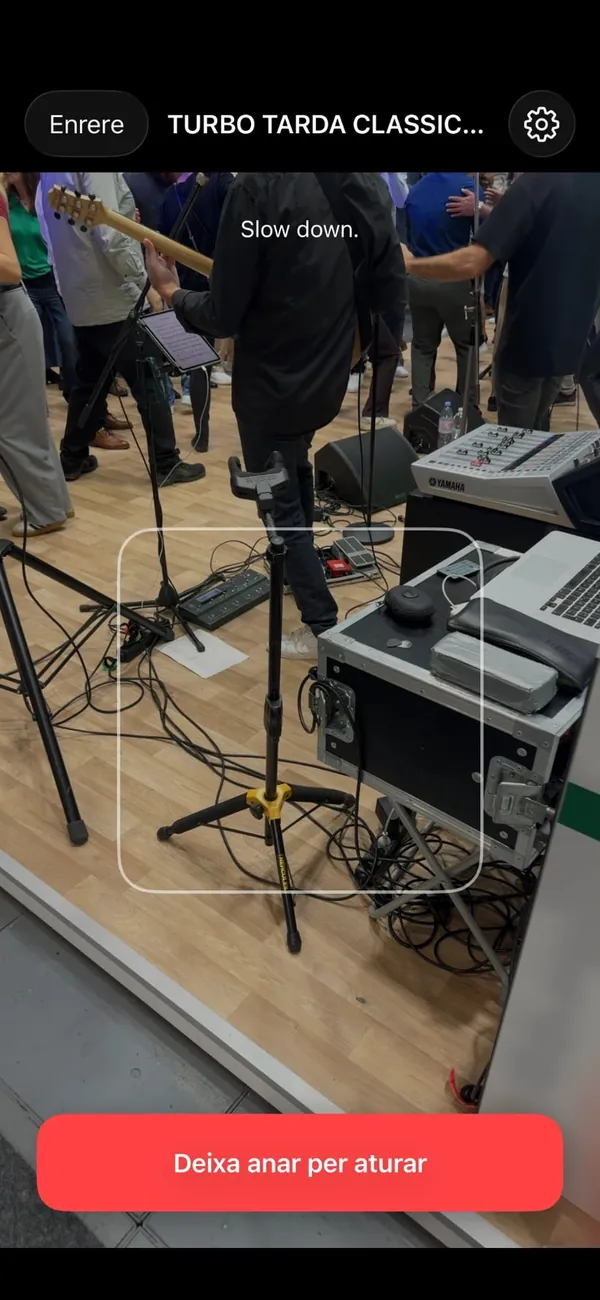
Hold and scan
No scanners to buy. Staff hold the button, pass QR codes in front of the camera and the app validates them one after another. If someone can't find their ticket, search by name or email.
Tickets, guest lists and passes at the same door
Each attendee has a record with all their credentials: tickets, guest list spots or passes. They can be validated one by one, for example when someone buys for a group that arrives separately.
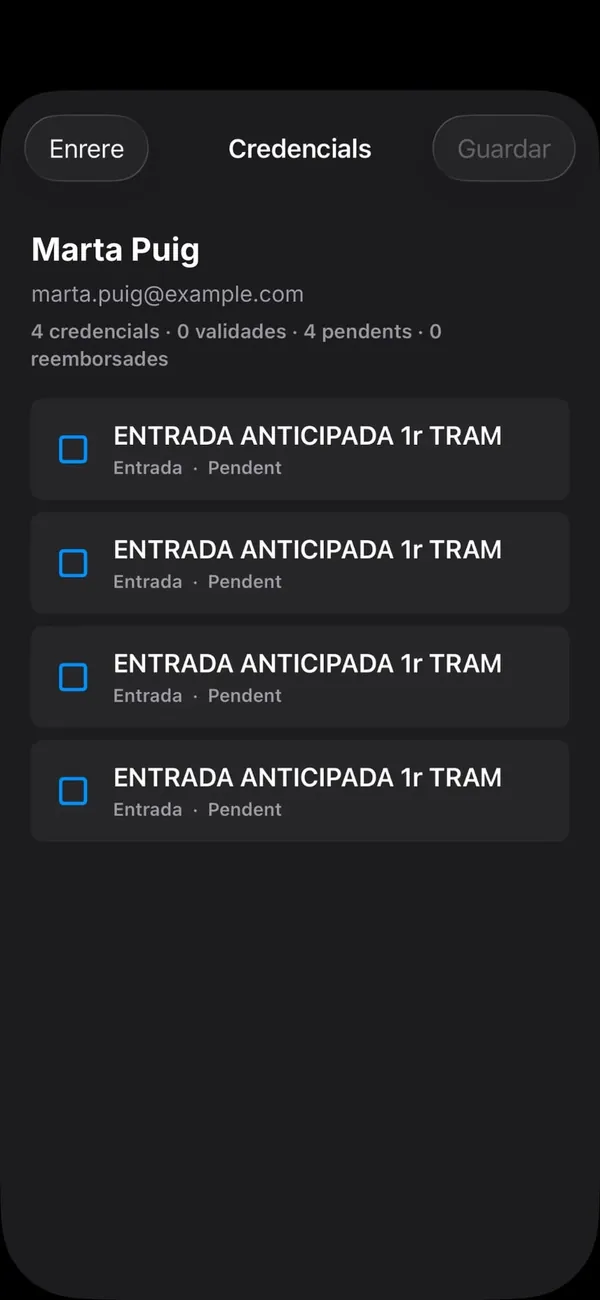
Who's in, live
The scanner dashboard shows scan progress by type (tickets, guest lists and season passes) and the entry timeline. You also see rejected scans and why: expired ticket, wrong event, already validated or list exhausted.
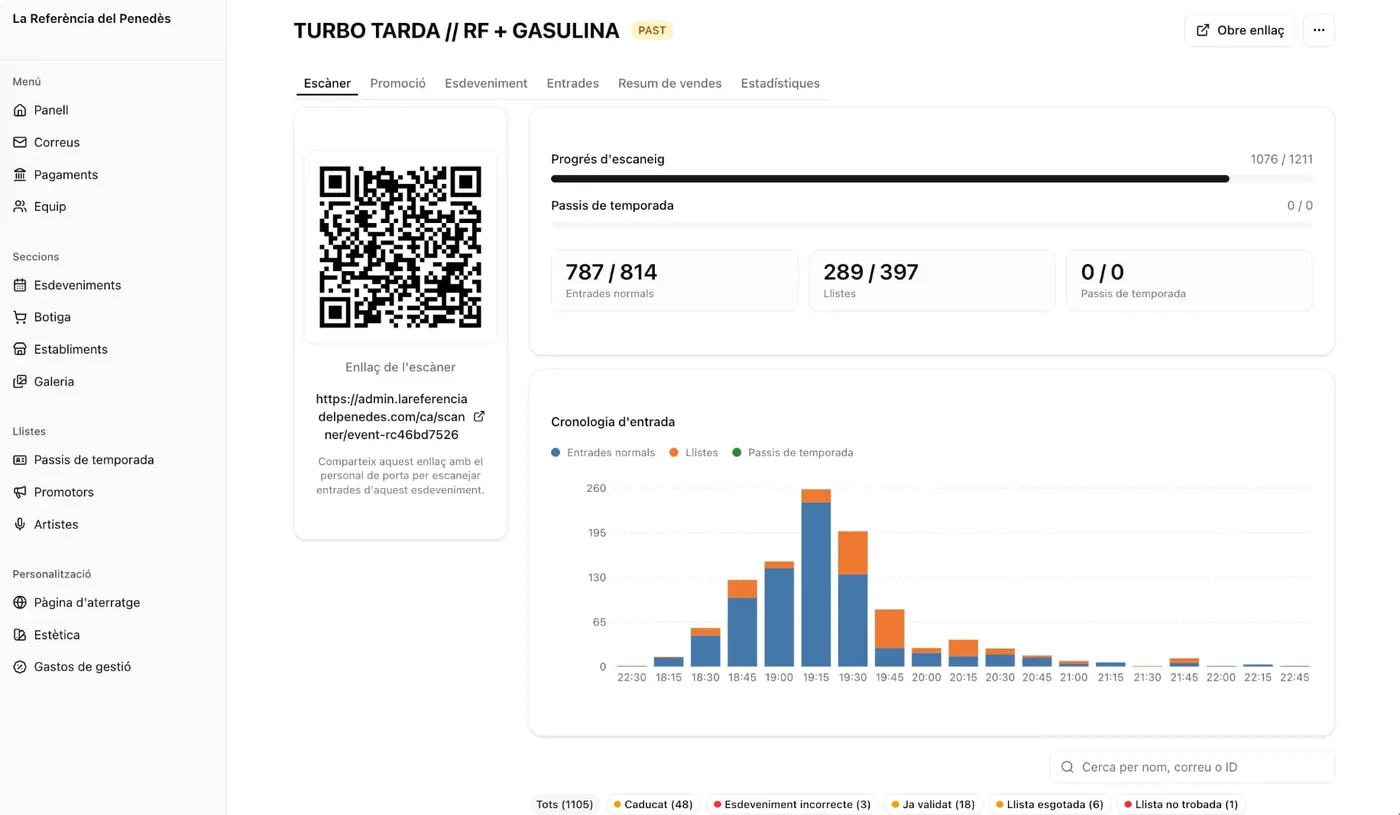
Team roles
Every team member has their own access: management or door. Each event has a scanner link to share with door staff.
Frequently asked questions
Do we need to buy scanners or terminals?+
No. Door staff only need their phone with the Festejar Equip app, for iPhone and Android.
What if there is no signal at the door?+
On iPhone, the app keeps validating tickets even without signal.
Can someone get in with a copied ticket?+
Every QR code is digitally signed and, once validated, the app warns if it is scanned again with an “Already validated” message.
Can several people scan at the same time?+
Yes. All door staff can use the app at once, and if a QR code was already validated on another phone, the app shows “Already validated”.
What do staff see when a QR code is not valid?+
The app shows the reason: expired ticket, wrong event, already validated, list exhausted or list not found.
You may also like
- Guest listsPromoter, guest and press lists, checked in at the same door.Learn more
- Season passesOne pass in the wallet for the whole season.Learn more
- Sales dashboardVisits, purchases, audience and payouts, live.Learn more
- NightclubsWebsite, agenda, tickets and door for your nightclub, in one platform.Learn more
Want to see it with your own events?
Tell us how you sell today and how many events you run. We'll set up the website with your real events, with no commitment.